We’re excited to announce our Calendar Photo Contest for 2026. The theme “A Roaring 20 Years of Happy Adoptions” gives a nod to the exuberance of the 1920s and the beautiful colors and designs of the period’s Art Deco movement.
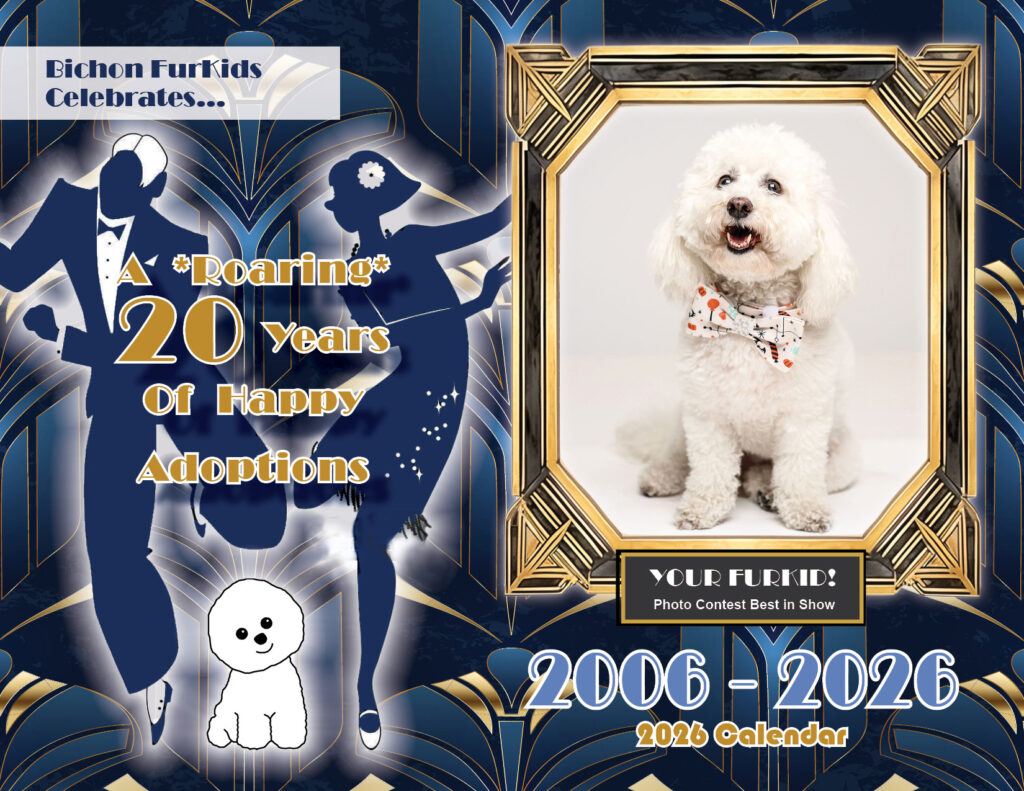
Note: This year, we again offer the opportunity for you to sponsor a calendar month with a photo of your FurKid(s)—in addition to (or even instead of) entering your photo(s) in the contest. There are 14 pages you can sponsor: each of the 12 months, the back cover, and the top section of Why We Rescue. Sponsorships are $100 per month.
Photo Contest Period: July 27 to August 31, 2025
Enter as many photos as you want. Every entered image will be included in the calendar.
- $25 for the first photo entry
- $15 for each subsequent photo entry
The contest winners will be selected by a panel of judges and announced on or before August 30, 2025. Of course, the real winners will be the FurKids, because all contest and calendar proceeds benefit the life-saving efforts of Bichon FurKids Rescue.
Placement Of Winning Photos:
- Sponsored photos for chosen months
- Best Of Show: Front cover.
- First, Second, and Third places: On unsponsored months or as large photos at the top of the centerfolds.
- Remaining photos: throughout the date squares, the centerfold, or other pages of the calendar.
STEPS TO SPONSOR A MONTH:
To sponsor a month, please email marti@bichonfurkids.org and specify the month(s) you would like to sponsor. Be early to get your months! Attach your sponsorship photos to this email. Marti will forward the photos to the calendar designer when placement is confirmed. See PHOTO REQUIREMENTS below for important information about taking and sending your photos.
When your placement is confirmed, go to bichonfurkids.org/donate to pay the entry fee. Select “Calendar Month Sponsorship” from the “Use this donation for” menu.
STEPS TO ENTER THE CONTEST:
Go to bichonfurkids.org/donate to pay the contest entry fee. Select “Calendar Contest” from the “Use this donation for” menu.
Send an email to judy@bichonfurkids.org that includes: (1) your FurKid’s name(s), (2) your phone number, (3) your donation receipt number and (4) your photos as attachments (see the following PHOTO REQUIREMENTS).
PHOTO REQUIREMENTS:
Photos must be at least 2 MB in size to get the best print resolution (appearance quality). If your phone or camera offers different resolution/quality sizes in its settings, select the highest one before taking pictures of your FurKid. You can use an internet browser to find numerous instructions online for setting the resolution on your specific model, as well as for how to check the resolution of an existing photo.
To preserve the high resolution of your photos when attaching them to an email, use the Attach button that is on the toolbar within the email window. It looks like a paper clip. Do not use the Share button that appears when viewing the photo from the photo gallery on your phone or computer. Depending on the phone model, “sharing” the photo may reduce its resolution.
If the email program offers a choice of resolutions when you send it, select the option for the best/highest quality.